Build ideas in Swift. Right on Windows.
WinSwift Studio brings a Swift editor, SwiftUI previews and a simulator together. Learn and prototype without a Mac — no subscription.
- Windows 10 and 11
- Swift and SwiftUI editor
- No subscription
import SwiftUI

struct ContentView: View {
    @State private var count = 0

    var body: some View {
        VStack(spacing: 16) {
            Text("Hello, Swift!")
                .font(.title.bold())
            Button("Tapped \(count)") {
                count += 1
            }
        }
    }
}Your Swift workspace, in action.
Real screenshots of the editor, symbol library and project launcher.
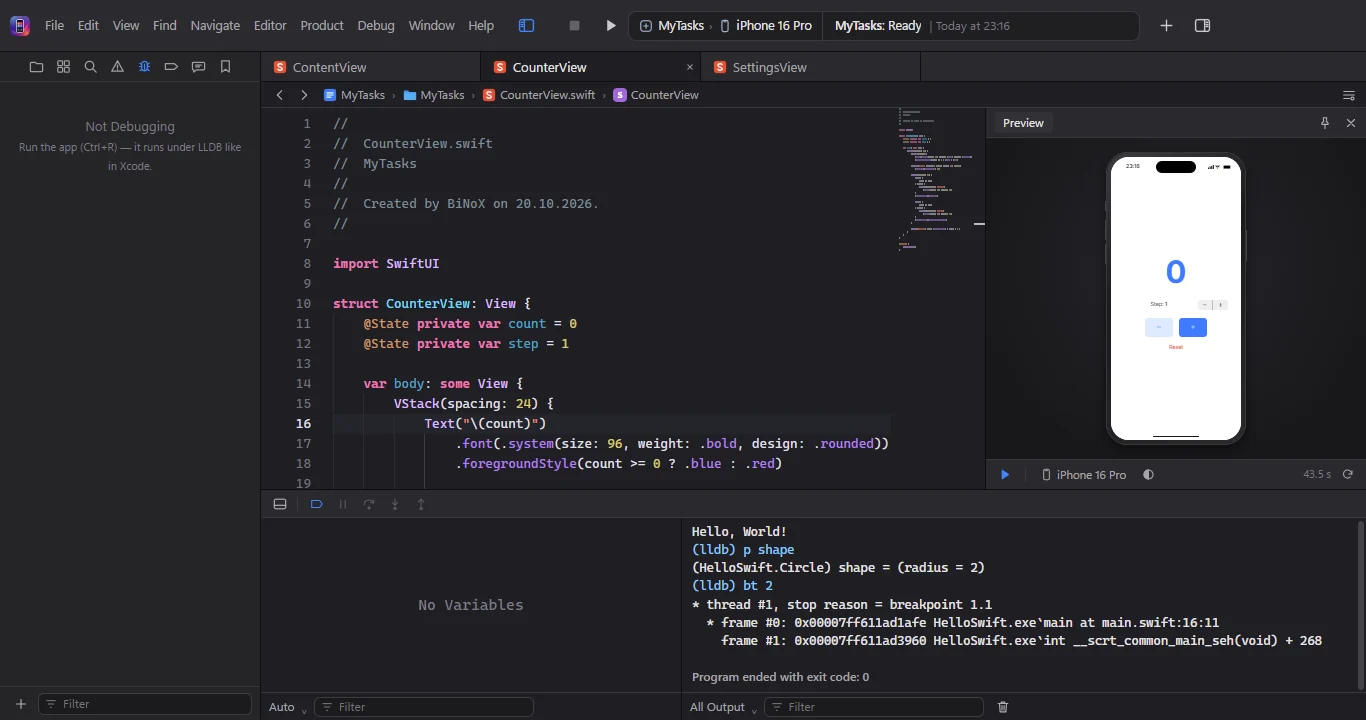
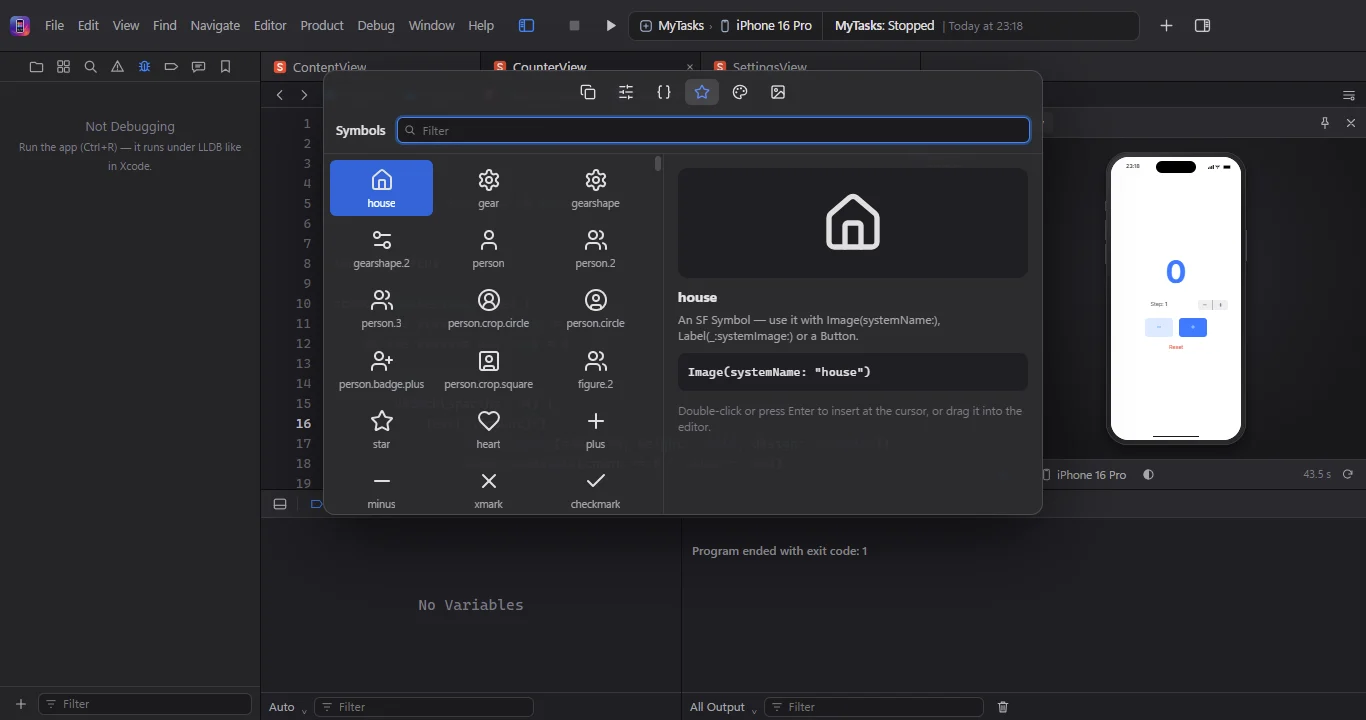
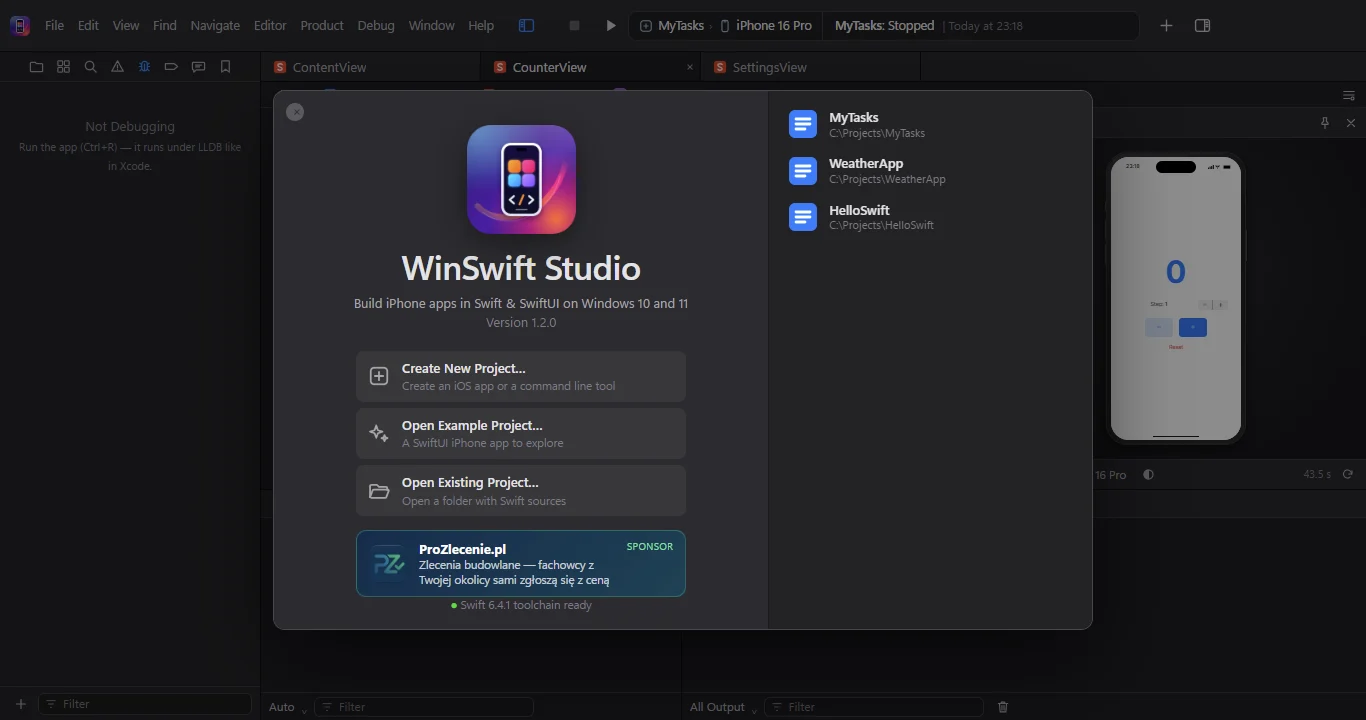
Familiar tools. A new way to work.
Design SwiftUI interfaces, run apps in the simulator and diagnose issues in one environment.
Device simulator
Light and dark appearance, language switching, GPS location, permissions and screenshots. Your app runs in a separate simulator window.
Real compiler
Your code is built by the official Swift 6 compiler for Windows.
Canvas with #Preview
Change the code and the view preview refreshes live.
Debugger LLDB
Gutter breakpoints, Continue, Step Over, Into and Out, variable inspection, a call stack and an (lldb) console with po and p commands.
Live suggestions and errors
SourceKit-LSP, Quick Help, Rename, Code Actions, Open Quickly, plus find and replace across the whole project.
Familiar layout
Light and dark theme, a Library of views and SF Symbols, custom keyboard shortcuts and Xcode-style navigators.
Up and running in minutes
- Download the packageThe WinSwift Studio ZIP after purchase.
- InstallUnzip and run
Zainstaluj.bat. No administrator rights needed. - Add the compilerRun the script once to install Swift and Visual Studio Build Tools.
- Run a projectChoose iOS, App and press Ctrl+R.
WinSwift Studio
- Simulator, Canvas, debugger and code suggestions
- Windows 10 and 11, 64-bit
- Download from your account any time
Manual payment — full instructions are shown before you confirm your order.
Good to know before you buy
- This is not real iOS. Apps run on Windows through an open implementation of SwiftUI.
- You can’t build an .ipa file or publish to the App Store. That still requires a Mac with Xcode.
- SwiftUI is supported. UIKit and Storyboards are not.
- Windows 7 and 8 are not supported.
Frequently asked questions
Is this the real Xcode?
No. WinSwift Studio is a separate Xcode-style environment. Your code is built by the real Swift compiler, and the app runs on Windows with an open SwiftUI implementation.
Can I publish an app to the App Store?
No. Building .ipa files and publishing requires a Mac with Xcode. WinSwift Studio is meant for learning and prototyping.
How do I get the app after buying?
Once your order is paid, a download button appears in your profile. Manual payments are usually confirmed within 24 hours.
What do I need to install it?
A computer with Windows 10 or 11 (64-bit). The install script adds Swift for Windows and Visual Studio Build Tools with C++, and takes several GB in total.